Riddle School 3 Unblocked — Play Free Online
More Riddle School Series games


Riddle School 3 unblocked: play Riddle School 3 online free right here in your browser — no download, no sign-up, works on a school Chromebook.
Riddle School 3 is the third chapter of JonBro's point-and-click escape series, and it is the one where the series stopped looking like a small Flash toy. The stage is drawn larger than the first two games, and the puzzles lean on the same habit the whole series is built on: pick up anything that isn't nailed down, work out what it might be for, and try it on something absurd.
A session is slow and curious rather than fast. You click around a screen, collect items, talk to whoever is standing nearby, and combine what you're carrying until a blocked path opens. Nothing here is timed, so it suits a relaxed sitting where you're happy to get stuck for a few minutes and then feel clever about it. The game runs in your browser with nothing to install.
If you came to the site for the original Riddle School, this is the natural next step. The humor, the "that can't possibly be the answer, and yet" logic and the mouse-only interface carry straight over.
How to play
Use the Main Menu button to reach the start option. From then on the game is mouse only. Click scenery, balloons and objects on screen to interact with them, and click an item in your inventory to use it. Items you pick up can often be combined or used on parts of the scene, so it's worth testing them on more than one target.
Progress comes from noticing what's clickable. Many hotspots are small or disguised as background, and a few only react once you're holding the right thing.
Tips
- Click everything at least once, including decoration. Riddle School puzzles often hide a useful item or a joke behind an object that looks purely visual.
- When you're stuck, go through your inventory and try each item on each hotspot instead of thinking harder. Solutions tend to be lateral, not logical.
- Talk to characters again after you've picked something new up; their replies can change.
- Use the fullscreen button under the game if the larger stage is still too small on your screen.
Similar games on Riddle School
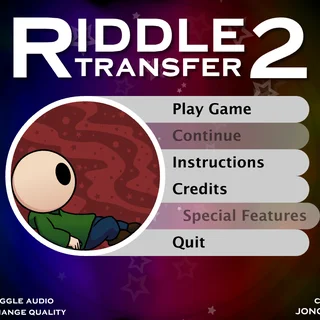
Riddle School 2 and Riddle School 4 are the neighbouring chapters, so start there if you want the same formula in a different setting. Riddle Transfer is a spin-off that keeps the style. If you'd like escape puzzles from another series, Breaking the Bank and Escaping the Prison are compact room-to-room escapes where you chain choices rather than hoard inventory.
The game is a good fit for anyone who likes puzzles they can solve in a few clicks at a time on a laptop or a desktop with a mouse. Because it's built entirely around clicking, a touch screen works too, though precise hotspots are easier with a mouse.
Questions about Riddle School 3
Is Riddle School 3 unblocked at school?
Riddle School 3 runs in an ordinary browser tab from riddleschool.org, with nothing to download or install, so it plays on most school Chromebooks and work computers. If a network filter blocks the site, only that network's administrator can change it.
How do I play Riddle School 3?
Click Main Menu, then start the game. It is mouse only: click balloons, scenery and items to interact, and click an item in your inventory to use it.
Do I need to play the earlier Riddle School games first?
No. Each chapter can be played on its own, though the humor and puzzle style will feel more familiar if you have tried Riddle School first.
Is Riddle School 3 free to play?
Yes. It runs in your browser on riddleschool.org with no download or account.
Who made Riddle School 3?
The series is by JonBro. This page runs the original Flash game through the Ruffle emulator.