Slope Unblocked — Play Free Online
More Runners & Driving games




Slope unblocked: play Slope online free right here in your browser — no download, no sign-up, works on a school Chromebook.
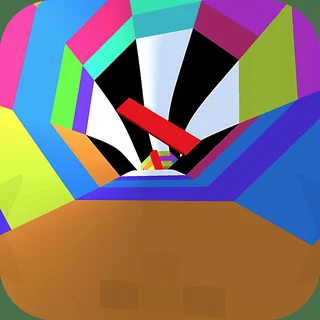
Slope drops you onto a glowing ball rolling down an endless neon ramp that is built from the same few ingredients: gaps, narrow platforms, red blocks and sharp turns. There is no story and no menu to wade through. You steer, the ball picks up speed, and the run ends the moment it touches an obstacle or rolls off the edge.
That stripped-down loop is why it works as a short break. A run can last ten seconds or a few minutes, and the only goal is to beat your previous distance. If you came to Riddle School for puzzles and trick questions, this is the opposite kind of game: nothing to think through, just reflexes and nerve, which makes it a good palate cleanser between escape rooms.
How to play
Steer with the left and right arrow keys or A and D. Up or Space jumps or accelerates, depending on the build, and any key press restarts after a crash. On a phone or tablet, tap and swipe to steer instead. The game runs in the browser with nothing to install.
The track gets faster the longer you survive, so the early seconds are forgiving and the later ones are not. Early on, the ramp is wide and the obstacles are spread out. As the speed climbs, the layouts get tighter, the drops longer and the reaction time shorter.
Tips
- Make small, short taps on the steering keys rather than holding them down. Holding a direction sends the ball sliding toward the edge faster than you expect.
- Look ahead of the ball, not at it. The next obstacle is what you need to line up for, and your eyes should already be two or three beats ahead.
- Stay near the middle of the ramp when you can. It gives you room to correct in either direction.
- If you start to drift, ease off instead of over-correcting. Big swings tend to cause the crash you were trying to avoid.
Similar games on Riddle School
Most of the catalogue here is slower and more thoughtful. Riddle School and its sequels are about solving escape puzzles with a bit of dark humour, while Escaping the Prison and Stealing the Diamond are step-by-step stealth-and-choice adventures. Slope trades all of that for a single skill, staying alive at speed, so it suits the minutes when you want something quick and repeatable.
It works well for solo play with a keyboard, though touch controls make it perfectly playable on a phone or a Chromebook without one.
Questions about Slope
Is Slope unblocked at school?
Slope runs in an ordinary browser tab from riddleschool.org, with nothing to download or install, so it plays on most school Chromebooks and work computers. If a network filter blocks the site, only that network's administrator can change it.
How do I control the ball in Slope?
Steer with the left and right arrow keys or A and D. Up or Space jumps or accelerates, and pressing a key restarts after a crash. On a phone or tablet, tap and swipe.
What is the goal of Slope?
Survive as long as you can. The ball speeds up the further it rolls, and the run ends when it hits an obstacle or falls off the ramp, so the aim is to beat your previous distance.
Can I play Slope on a phone or Chromebook?
Yes. It runs in the browser with nothing to install, and touch controls let you steer by tapping and swiping if you have no keyboard.